Overcoming Bioinformatics Skill Gaps in Single-Cell Research
Discover solutions to bridge bioinformatics skill gaps in single-cell research, enabling easier scRNA-seq analysis for wet-lab scientists.

Why More Wet-Lab Scientists Are Taking Ownership of Analysis
Taking charge of your own single-cell RNA sequencing data analysis offers several key benefits:
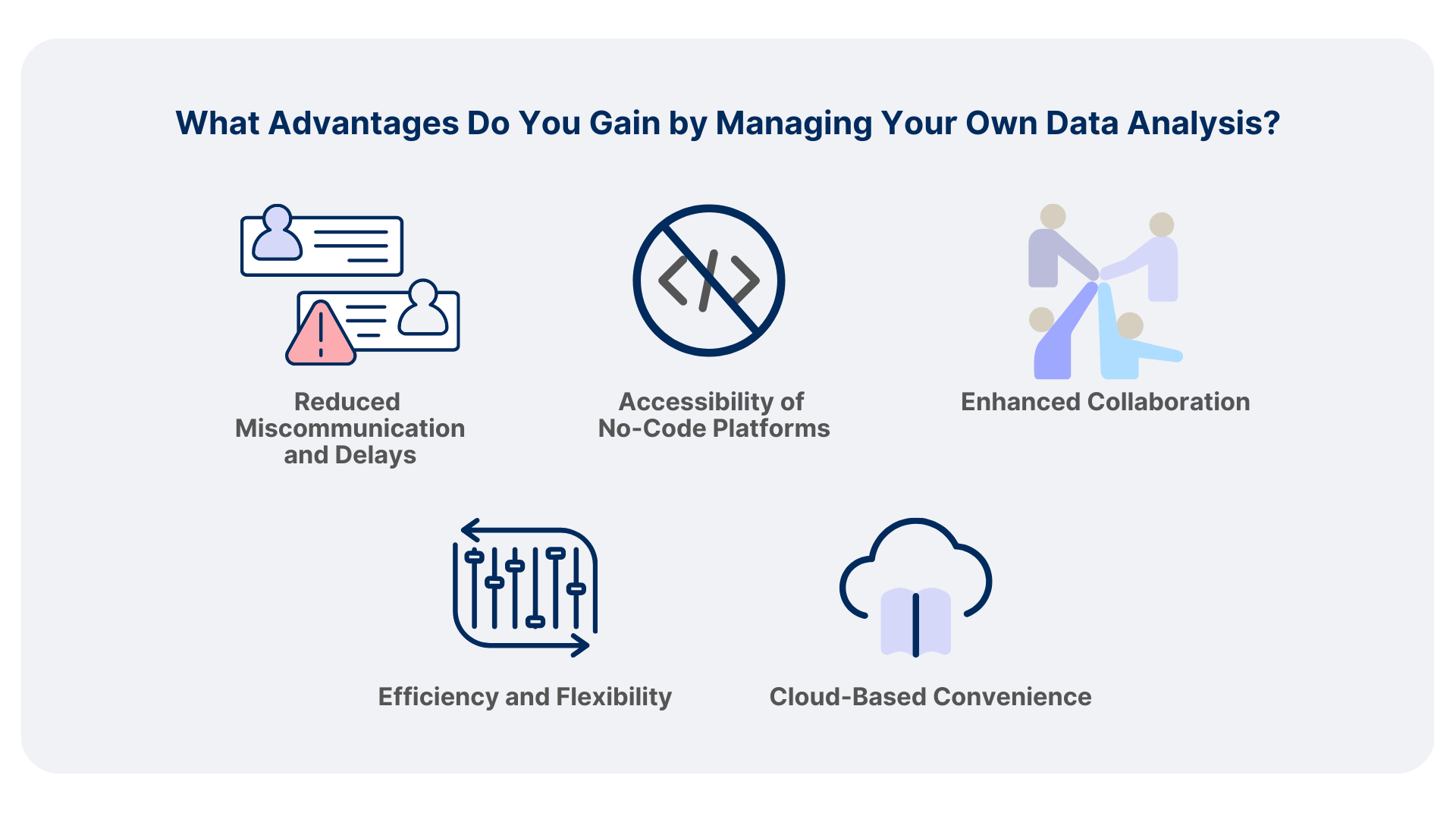
1. Reduced Miscommunication and Delays
Analyzing your data yourself minimizes potential misunderstandings that can occur when collaborating externally. This streamlines the process, reduces back-and-forth communication, and grants you greater control over analysis parameters and timelines.
2. Accessibility of No-Code Platforms
With the advent of user-friendly, no-code technologies, you can perform complex analyses without a computational background. Platforms like Nygen Analytics allow you to avoid the coding-based pitfalls often encountered in real-world projects, where code handling and data handling can become convoluted. This removes the need for intense peer-review and enables you to generate meaningful results with accuracy and confidence.
3. Enhanced Collaboration
Managing your own analysis allows for easier collaboration with colleagues. You can quickly generate and share plots or reports with other wet-lab scientists and bioinformaticians, facilitating better communication and teamwork.
4. Efficiency and Flexibility
For those with some coding experience, user-friendly platforms save time on plot generation and customization without the need for high-performance computing (HPC) resources or learning additional systems like SLURM. This reduces the complexities of iterative coding, enabling you to manage and analyze data independently and confidently.
5. Cloud-Based Convenience
Cloud-based solutions such as Nygen eliminate the burden of maintaining in-house servers. They provide the flexibility to work from any location and simplify the process of publishing datasets with ease on interactive browsers, enhancing the visibility and impact of your research.
Complexity of scRNA-Seq Data
Single-cell datasets are characterized by high dimensionality and complexity. With thousands of genes measured across thousands to millions of cells, the data are both vast and intricate. Challenges include:
- Data Preprocessing: Quality control, normalization, and scaling require specialized knowledge to correct for technical artifacts.
- Dimensionality Reduction and Clustering: Techniques like Principal Component Analysis (PCA) and t-Distributed Stochastic Neighbor Embedding (t-SNE) are essential but can be complex to implement.
- Interpretation of Results: Understanding the biological significance of clusters and gene expression patterns demands both biological insight and computational proficiency.
Steep Learning Curve
Bioinformatics tools often require proficiency in programming languages such as R or Python. Wet-lab scientists may encounter obstacles like:
- Syntax and Coding Skills: Learning programming syntax and debugging code can be time-consuming.
- Software Installation and Dependencies: Managing packages and software versions adds complexity.
-
Command-Line Interfaces: Many bioinformatics tools lack graphical user interfaces (GUIs), making them less accessible.
-
Loading Libraries and Data: The code begins by loading the Seurat library and reading the raw count data using
Read10X(). - Creating a Seurat Object:
CreateSeuratObject()initializes a Seurat object that stores expression data and analysis results. - Quality Control Filtering: The
subset()function filters out cells based on: - nFeature_RNA: Number of genes detected per cell (filtering out cells with too few or too many genes).
- percent.mt: Percentage of mitochondrial gene counts (filtering out cells with high mitochondrial content, which may indicate cell stress or death).
- Normalization:
NormalizeData()normalizes the gene expression measurements for each cell by the total expression, multiplies by a scale factor (default is 10,000), and log-transforms the result. - Identifying Variable Features:
FindVariableFeatures()identifies genes that exhibit high variability across cells, which are informative for downstream analyses like clustering. - Scaling Data:
ScaleData()centers and scales the data, which is necessary for principal component analysis (PCA) and other dimensionality reduction techniques.
Performing these steps requires proficiency in R programming and familiarity with the Seurat package. Wet-lab scientists without coding experience may find this process challenging due to:
- Syntax and Debugging: Understanding the correct syntax and troubleshooting errors.
- Software Installation: Managing R and package installations.
- Parameter Selection: Deciding appropriate thresholds for filtering and normalization.
Web-based tools with intuitive interfaces and automated workflows can help wet-lab scientists bridge bioinformatics skill gaps in single-cell research. These platforms help navigate complexities of scRNA-seq data analysis, enabling researchers to focus on their scientific questions rather than technical hurdles.
User-Friendly Software Platforms
1. Nygen Analytics
Nygen Analytics is an integrated platform designed to simplify scRNA-seq data analysis for researchers without coding experience. Key features include:
- All-in-One Suite: Users can explore public datasets, upload their own data, and merge them to generate comprehensive insights within a unified platform.
- Intuitive Interface: A graphical user interface guides users through each step of the analysis pipeline, making complex analyses accessible without programming skills.
- Automated Workflows: Provides pre-built workflows for data preprocessing, normalization, clustering, and visualization, reducing the need for manual intervention.
- Advanced Visualization Tools: Offers interactive plots and figures that facilitate in-depth data exploration and interpretation.
- Machine Learning Integration: Employs machine learning algorithms for automated cell type annotation and functional analysis, enhancing analytical capabilities.
- AI-Powered Knowledge Distillation: Generates automated annotations, literature summaries, and insights using AI to analyze integrated datasets.
- No Coding Required: Designed specifically for users without programming backgrounds, eliminating the need for coding expertise.
- Data Augmentation and Enrichment: Enables users to enrich their own datasets by merging with public data, unlocking deeper insights through comprehensive analysis.
This integration of data discovery, augmentation, and analysis within a single platform bridges the gap between wet-lab expertise and computational biology, facilitating more efficient and insightful single-cell research.
2. Partek Flow
Partek Flow offers a web-based solution with a focus on ease of use:
- Drag-and-Drop Interface: Build analysis pipelines by dragging and connecting modules.
- Comprehensive Tools: Supports data import, alignment, quantification, normalization, and statistical analysis.
- Collaboration Features: Allows multiple users to work on the same project, promoting teamwork.
Partek Flow provides flexibility for both novice and experienced users, accommodating various levels of expertise.
3. Qiagen CLC Genomics Workbench
Qiagen's CLC Genomics Workbench combines powerful analysis tools with an easy-to-use interface:
- Integrated Analysis: Supports a wide range of NGS data types, including scRNA-seq.
- Visualization Options: Offers advanced graphics for data interpretation.
- No Coding Required: Designed for users without programming backgrounds.
4. BioTuring's BBrowser
BioTuring's BBrowser is an intuitive platform focused on single-cell data analysis and visualization:
- User-Friendly Interface: Enables researchers to explore single-cell datasets without coding expertise.
- Access to Public Datasets: Provides a comprehensive database of public scRNA-seq datasets for comparison and exploration.
- Advanced Visualization Tools: Offers interactive visualizations like t-SNE, UMAP, and heatmaps for in-depth data interpretation.
- Data Integration: Allows users to upload their own datasets and merge them with public data for comparative analysis.
- Collaboration Features: Facilitates sharing of data and analysis results with collaborators.
BBrowser makes single-cell data analysis accessible to researchers with limited bioinformatics skills, bridging the gap between wet-lab and computational biology.
Using a No-Code Tool Like Nygen
With Nygen Analytics, these preprocessing steps can be accomplished through an intuitive graphical interface without writing any code.
Preprocessing Steps with Nygen Analytics
- Interactive Filters: Use sliders or input fields to set thresholds for the number of genes per cell and mitochondrial content.
- Visualization: Real-time plots such as violin plots and histograms display the effect of filtering criteria.
- Method Selection: Choose normalization methods from a dropdown menu such as
LogNormalize. - Automatic Execution: The platform applies the selected method without manual scripting.
- Parameter Adjustment: Specify the number of variable genes to identify, for example 2,000.
- Results Visualization: View plots highlighting highly variable genes.
- One-Click Scaling: Apply scaling to the data with a single click.
- Options Configuration: Advanced users can adjust scaling parameters if desired.
- Pipeline Overview: Monitor the progress of each step in the analysis pipeline.
- Export Options: Download processed data or figures for further analysis or publication.
Additional Accessible Platforms
1. Galaxy Project
Galaxy is an open-source platform that allows users to perform bioinformatics analyses through a web interface:
- Accessible Anywhere: No software installation required; accessible via web browser.
- Extensive Tool Library: Includes tools for scRNA-seq data processing and analysis.
- Community Support: Active community providing tutorials and assistance.
2. Loupe Browser by 10x Genomics
Loupe Browser is designed for visualization and analysis of single-cell data generated by 10x Genomics platforms:
- Interactive Exploration: Enables users to navigate clusters, genes, and cell types.
- User-Friendly: Intuitive controls suitable for users without programming skills.
Practical Tips for Wet-Lab Scientists
- Start with Familiarization
- Explore user-friendly platforms like Nygen Analytics to gain confidence in data analysis.
- Utilize demo datasets to practice analysis workflows.
- Leverage Community Resources
- Participate in forums like Biostars and SEQanswers for advice and troubleshooting.
- Invest in Incremental Learning
- Focus on learning essential skills relevant to your research needs.
- Consider learning basic R or Python commands used frequently in single-cell analysis.
- Utilize Tutorials and Documentation
- Comprehensive documentation often accompanies software tools. For example, Seurat’s guided tutorials walk users through analysis steps.
Related articles

The biology in your ligand-receptor analysis, and how to read it
Ligand-receptor analysis is easy to run and easy to over-read. How to get cell-cell communication biology from the ranked table, with LIANA and ScarfWeb.
Read more →
Multi-Omics Data for Target ID in Drug Discovery
How human genetics, single-cell transcriptomics, chromatin accessibility and proteomics combine into causal, cell-resolved target evidence, where integration usually fails, and how to grade the result before a programme is committed.
Read more →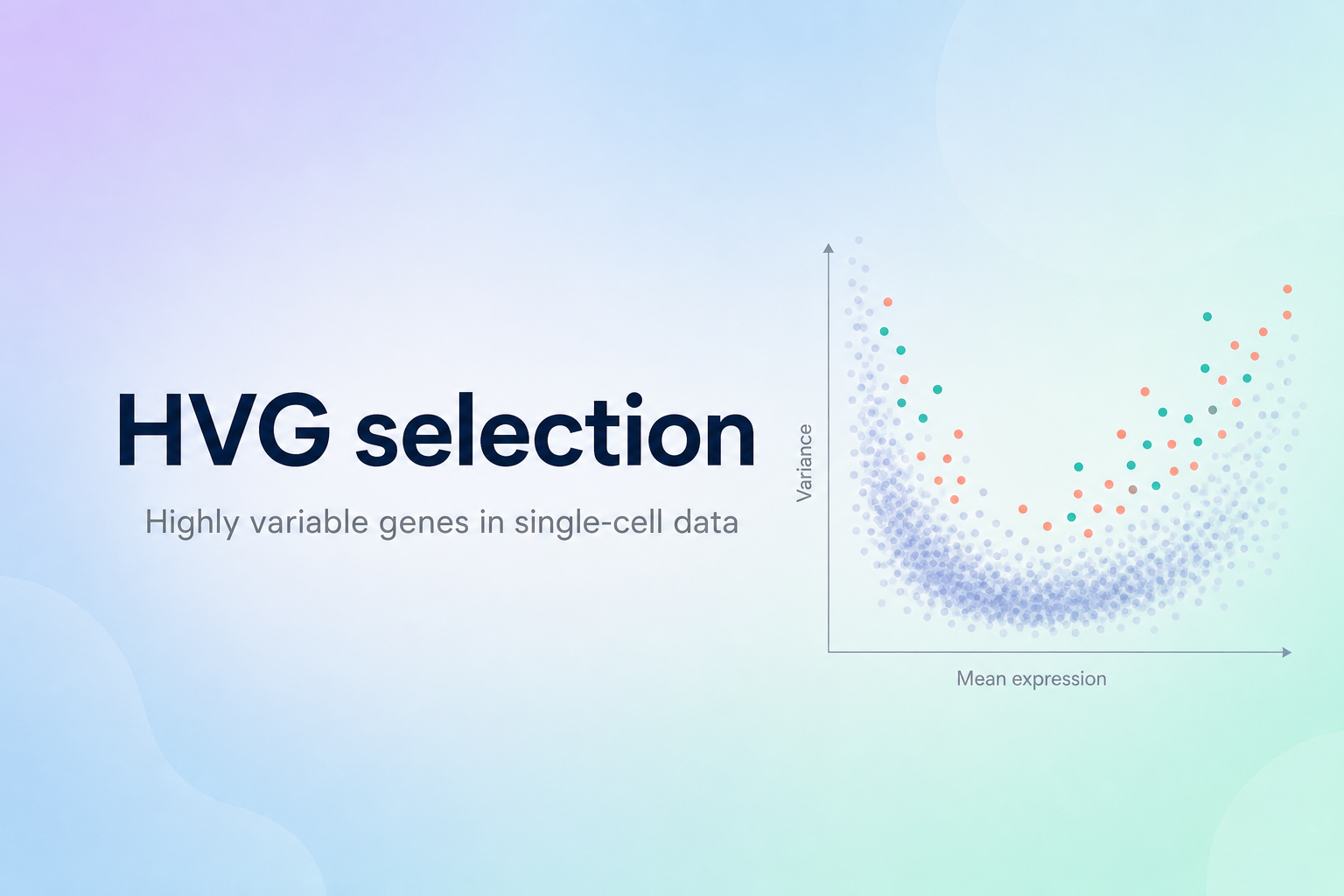
HVG selection
Learn how to select Highly Variable Genes (HVGs) in single-cell data, set corrected variance thresholds, and use custom blocklists to refine your analysis while ensuring meaningful cell heterogeneity.
Read more →